Free Templates · Restaurants and retail
POS vs Bank Deposit Reconciliation Template
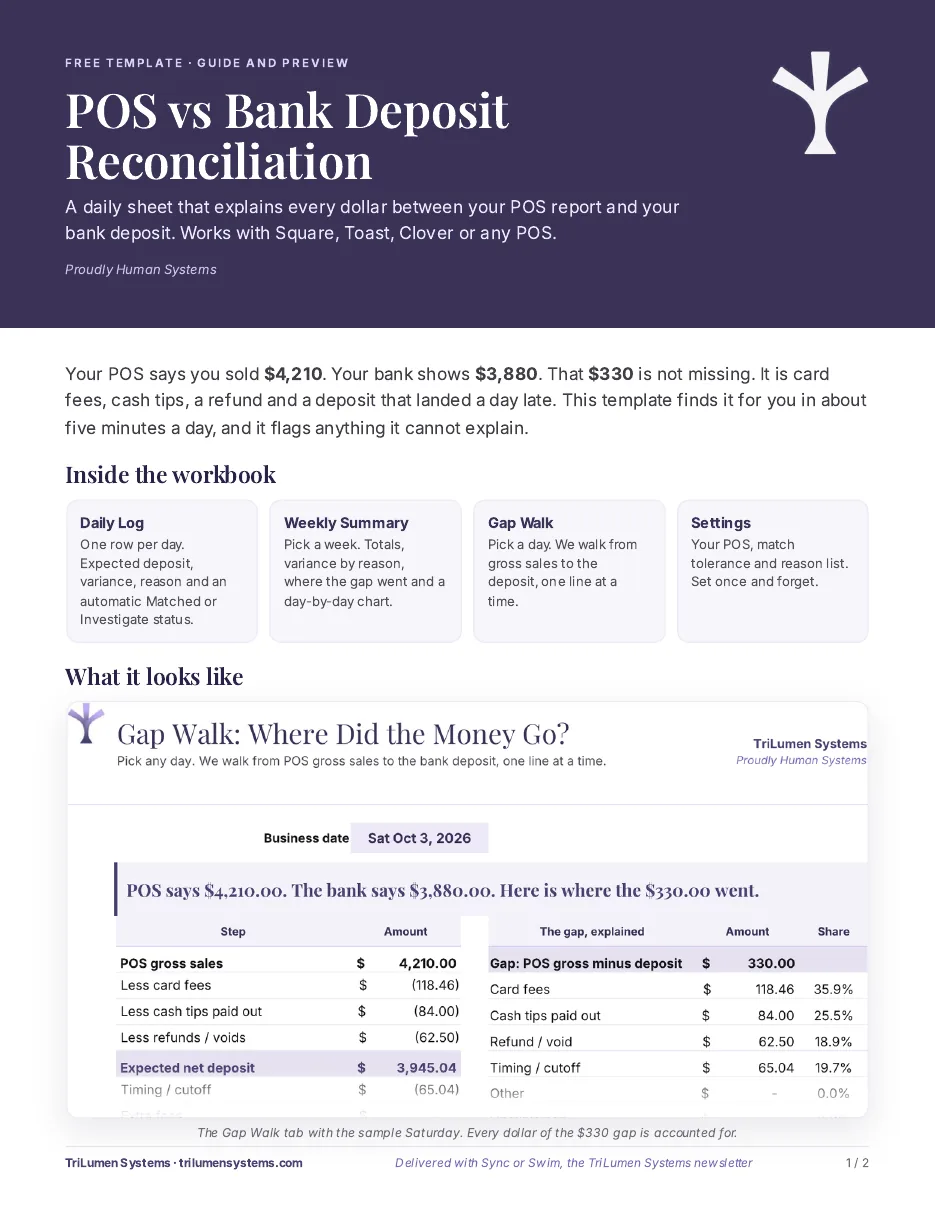
Your POS report says one number. The bank deposit says another. That gap is not missing money until you can prove it is. This free Excel template walks every dollar from your Square, Toast or Clover sales report to the deposit that actually hit the bank, so you can explain the difference in a few minutes a day.
Who it's for: Restaurants, cafes, retail shops and any business that takes card payments through Square, Toast or Clover and deposits cash.
What it looks like
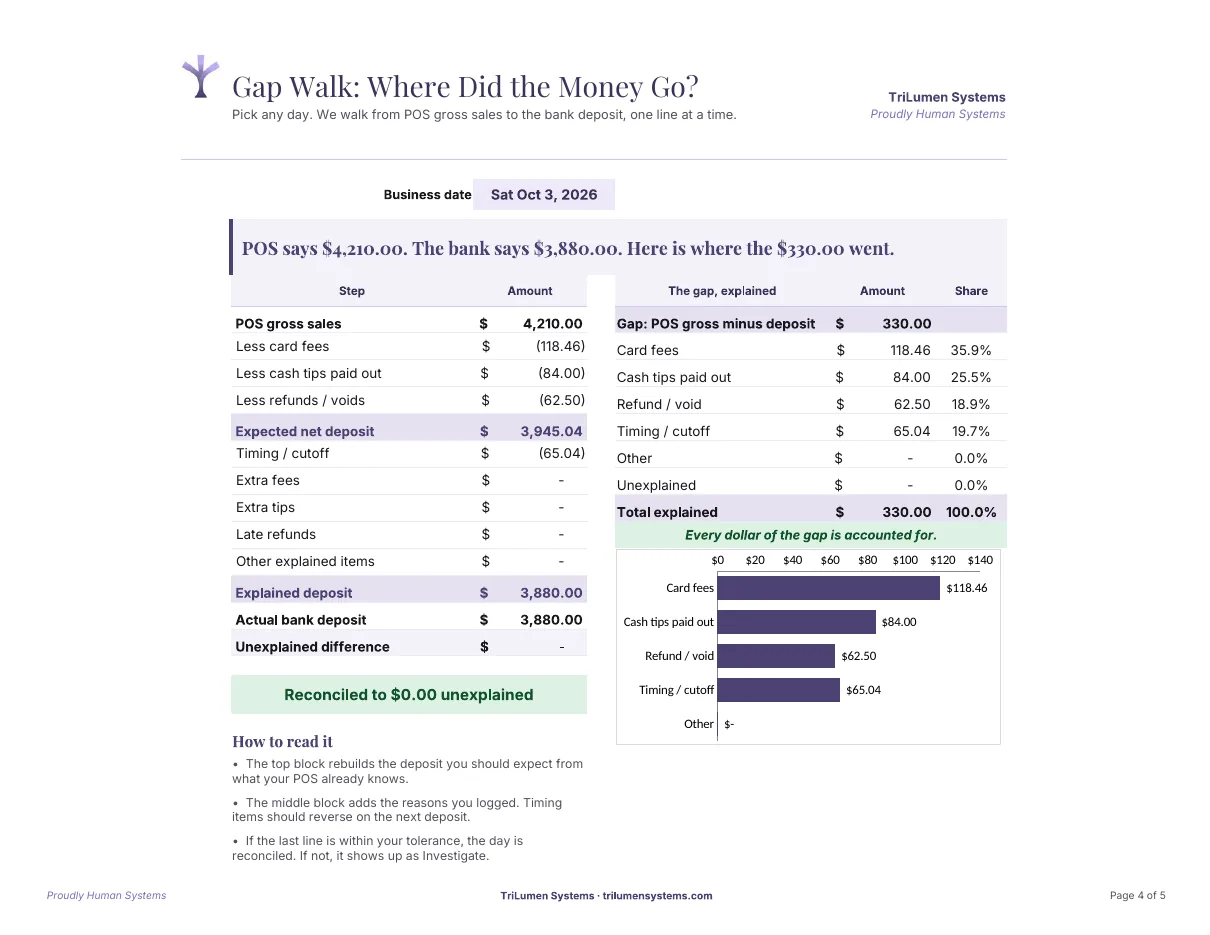
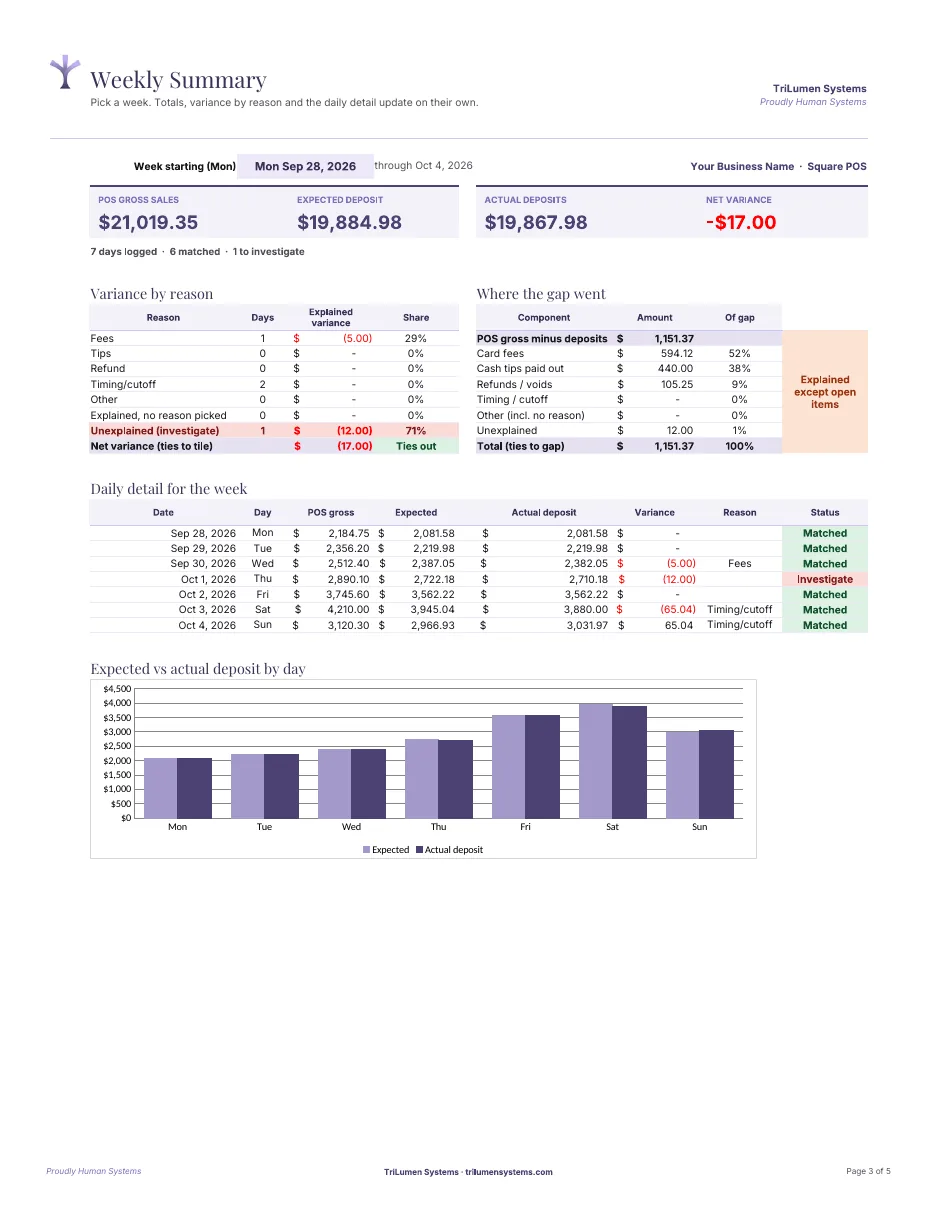
Real screens from the template and its guide, filled in with sample data.
What's inside
An Excel workbook plus a short PDF guide. No macros, no add-ins.
- Daily LogOne row per business day: POS gross sales, card fees, tips paid out, refunds, expected deposit and actual deposit, with the gap flagged automatically.
- Weekly SummaryTotals by week so you can see whether a gap is a timing issue that clears or a real leak that keeps growing.
- Gap WalkPick any day and walk from POS gross to the bank deposit one line at a time: fees, tips, refunds, cutoff timing and anything still unexplained.
- SettingsSet your tolerance and your reason list once, so small rounding differences stay quiet and real problems stand out.
- Printable guideA two-page PDF that explains the method and how to read each sheet.
Ready to use it? Get the POS vs Bank Deposit Reconciliation template free. It arrives by email with Sync or Swim.
Frequently asked questions
What is a bank deposit reconciliation?
It is a daily check that your POS sales, minus card processing fees, tips paid out, refunds and timing differences, equal the deposits that land in your bank account. Anything left over is the gap you need to explain.
Does it work with Square, Toast and Clover?
Yes. The template uses the numbers every POS sales summary already shows: gross sales, fees, tips and refunds. You type or paste them in, so it works with Square, Toast, Clover and most other systems.
Is it Excel or Google Sheets?
It is an Excel file (.xlsx). It also opens in Google Sheets and Numbers, though Excel gives the cleanest formatting.
How do I get the template?
Enter your email in the form on this page. The template arrives by email with Sync or Swim, the TriLumen newsletter. You can unsubscribe anytime.